
Description:
In order to verify a computer is on the correct graphics card version, per the Graphic Card Matrix, we must see what version the drivers are on currently
Steps:
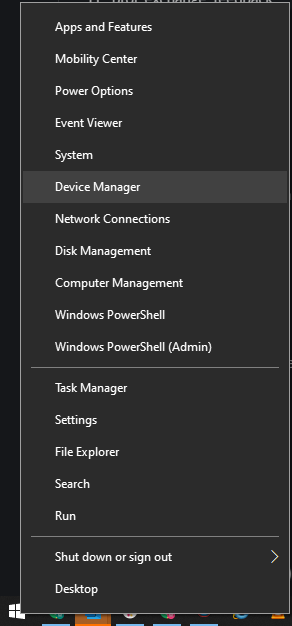
- Access Device Manager (right click the Windows logo and select it)
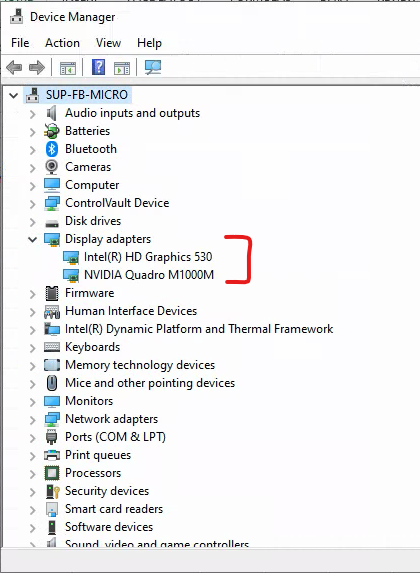
- Expand Display Adapters to identify all installed graphics cards
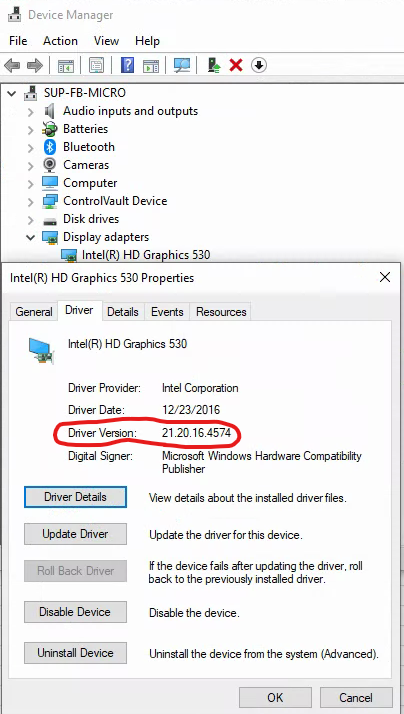
- Right click on the first graphics card, select properties, and open the Driver tab. Note the Driver Version
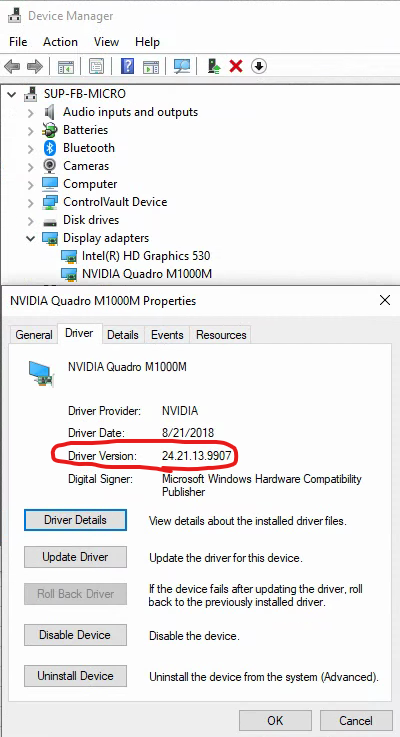
- Repeat as needed
Comments
0 comments
Please sign in to leave a comment.